

Kobra Fleetworks LLC
Kobra Digital Rain Screen Saver for Windows
Kobra Digital Rain Screen Saver for Windows
Couldn't load pickup availability
Turn your idle Windows display into a flowing cascade of luminous digital glyphs.
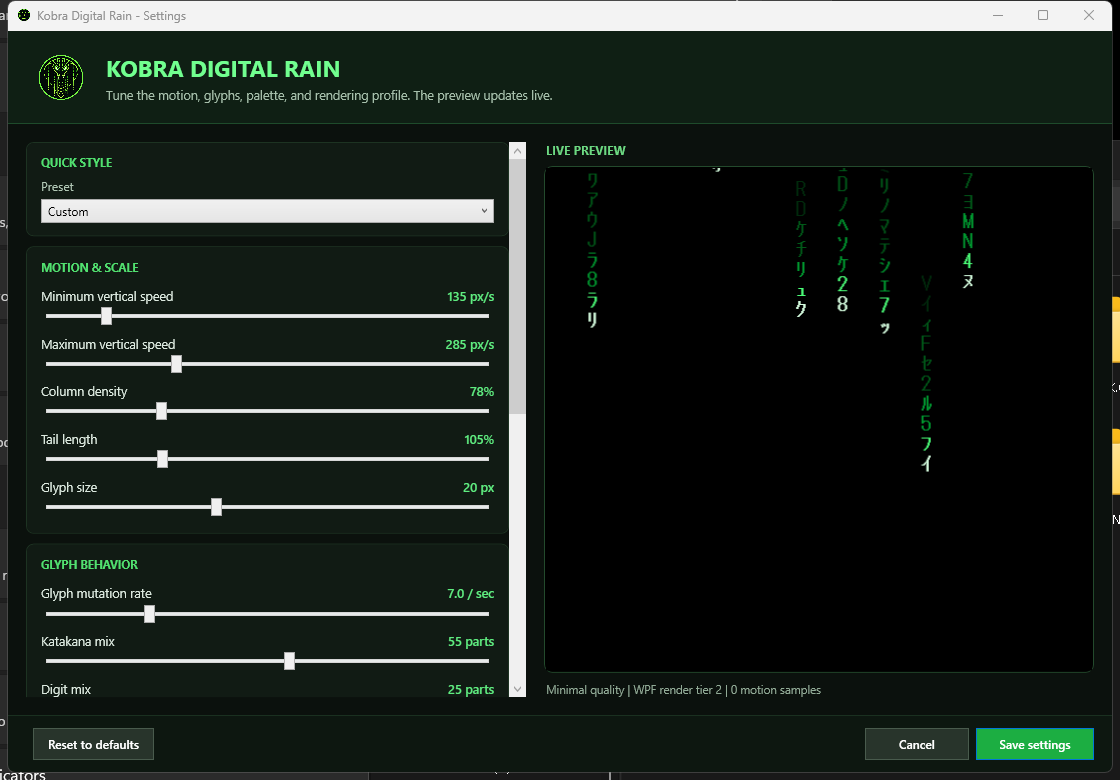
Kobra Digital Rain is a customizable screen saver for 64-bit Windows 10 and Windows 11. Choose a preset or tune the motion, trail, glyph, glow, rendering quality, background, and rain colors to create your own atmosphere.
What you get
- Five presets: Custom, Classic, Cinematic Flow, Dense Code, and Performance.
- Adjustable vertical speed, column density, tail length, and glyph size.
- Controls for glyph mutation and Katakana, digit, and Latin character mixes.
- Adjustable motion blur, glow, rendering quality, background, and rain colors.
- Support for active portrait, landscape, ultrawide, super-ultrawide, duplicated, extended, and merged Windows display layouts.
- Native Windows Screen Saver Settings integration, preview, configuration, and uninstall restoration.
Private by design
The screen saver works entirely offline. It has no telemetry, analytics, advertising, account, product key, online activation, cloud storage, automatic crash upload, or automatic update check. Visual preferences remain locally on your computer.
PRIVACY POLICY
Secure Windows package
The screen saver, embedded uninstaller, and installer are Authenticode-signed by Kobra Fleetworks LLC and carry verified Microsoft timestamps.
System requirements
- 64-bit Windows 10 or Windows 11 desktop edition.
- Microsoft .NET Framework 4.8 or later.
- A WDDM graphics driver; current Windows and graphics-driver updates are recommended.
- Administrator approval during installation.
Not supported on 32-bit Windows, Windows on ARM, Windows S mode, Windows Server, macOS, Linux, or Wine. Performance varies with resolution, monitor count, refresh rate, graphics hardware, driver, HDR state, remote-session state, and selected settings.
License and delivery
This is an instant digital download; no physical product will be mailed. One purchase grants one person a perpetual personal, non-commercial license for the acquired version on up to three authorized devices at the same time. The included End User License Agreement controls if this summary differs from the agreement.
Install
- Download and extract the customer ZIP.
- Run the signed Setup file normally; do not choose Run as administrator.
- Approve the Windows administrator prompt.
- Open Start > Kobra Fleetworks to preview, configure, or open Windows Screen Saver Settings.
Version: 1.0.2
Publisher: Kobra Fleetworks LLC
Support: kobrafleetworks@outlook.com
Website: www.kobrafleetworks.com